Polkadot.js.org Substrate Portal
After successfully completing the prerequisite setup phase, you can start using Polkadot.js.org Substrate Portal through Ledger
Connect & Import
Section titled “Connect & Import ”- Quit Ledger Live.
- Plug Ledger → Unlock → Open the Polkadot app
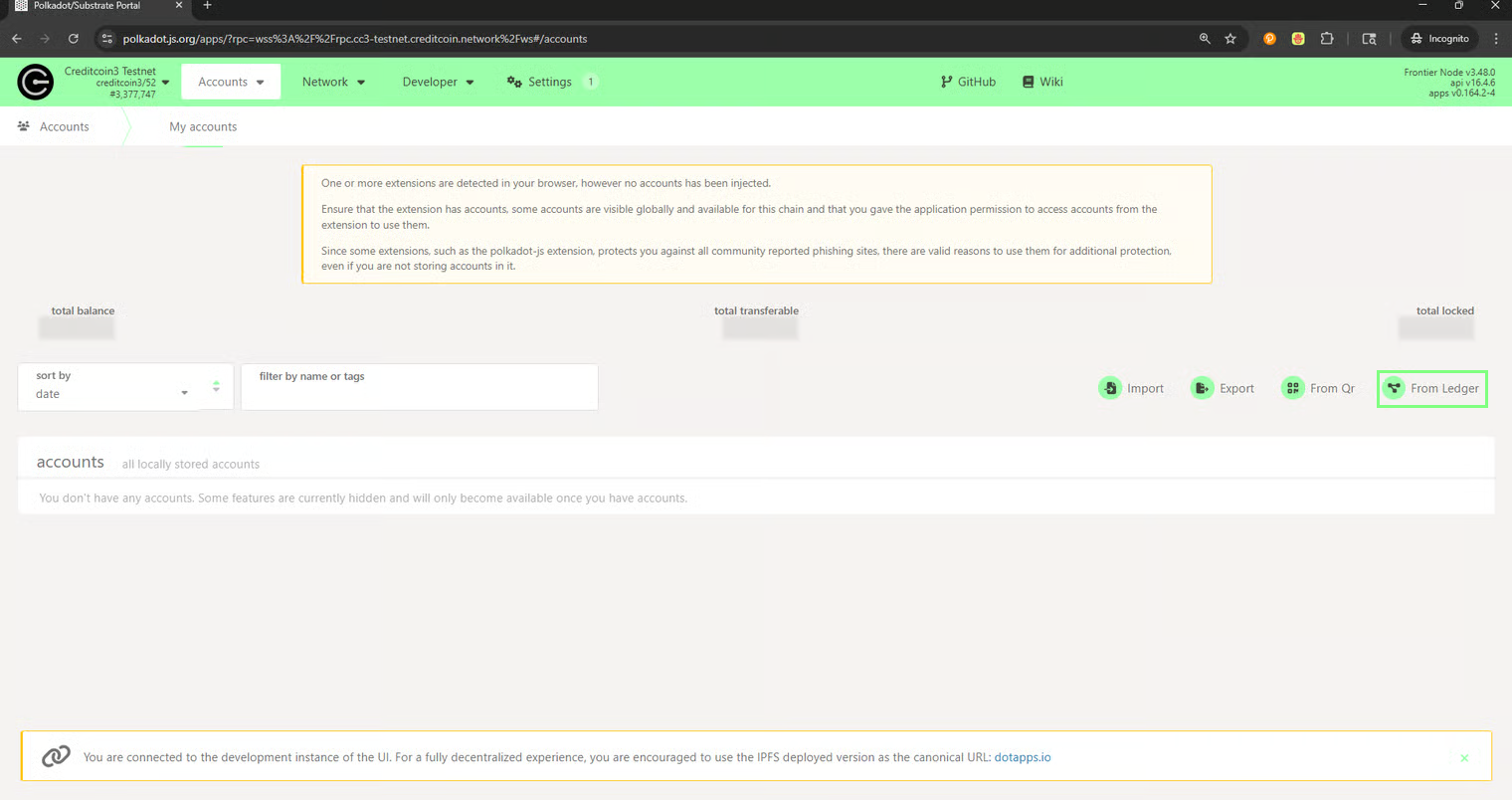
- Navigate to the Polkadot.js In Accounts → click From Ledger (or Import via Ledger).
-
Upon clicking the From Ledger button, you will see the following screen
In the modal, set:
- Account type (top-level derivation; usually 0)
- Address index (child index; usually 0)
- Name your account → Save.
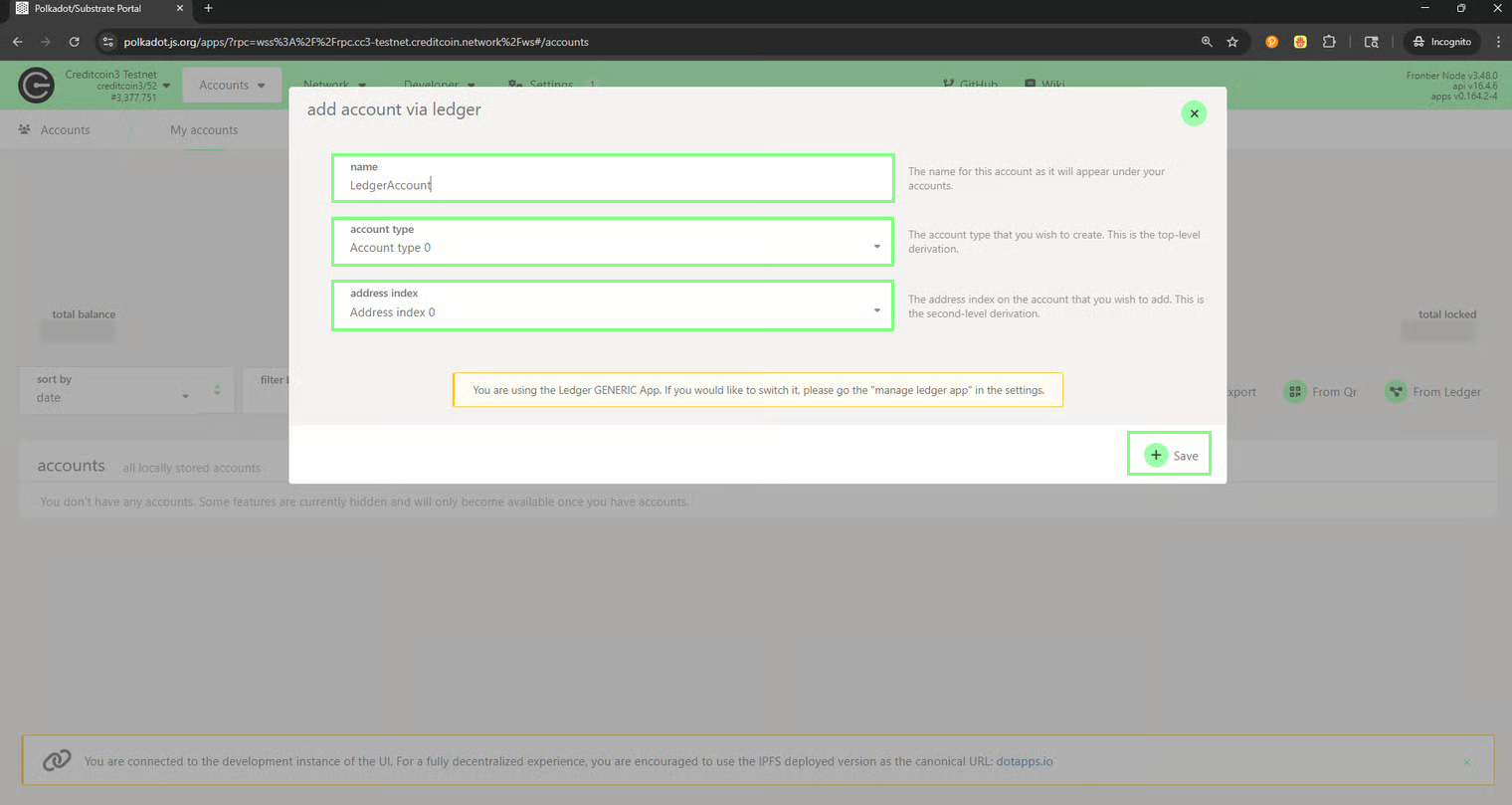
- Upon clicking the Save button, the Device Selector will appear. Select your Ledger device and press the Connect button.
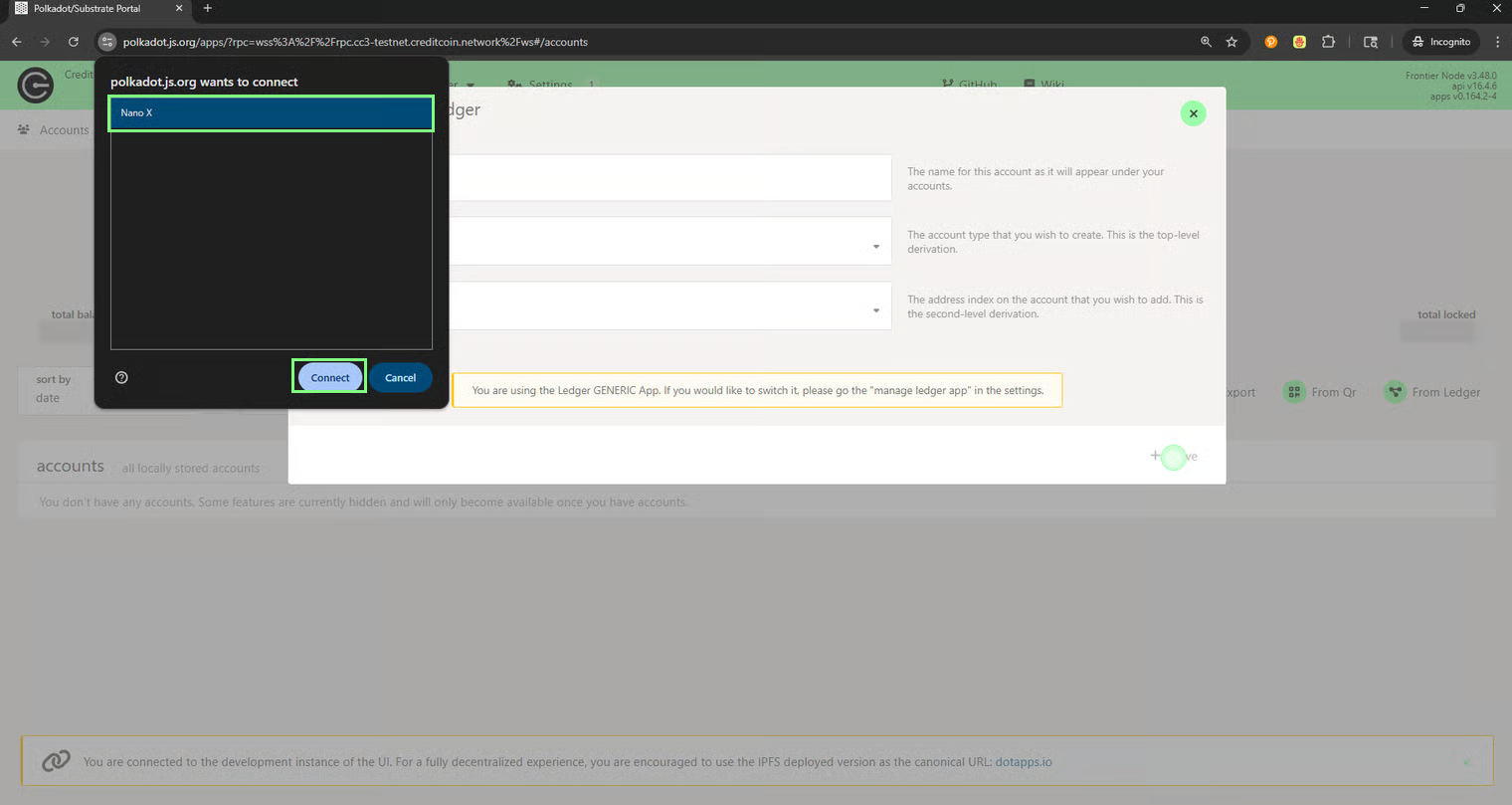
- Allow the connection on your Ledger Device.
Notes on derivation:
- Ledger on Substrate = ed25519 keys.
- Account type groups (0..N). The address index enumerates addresses within that group.
- The address string changes by network (SS58 format), but the underlying public key is the same.
How to Transfer on Creditcoin network
Section titled “How to Transfer on Creditcoin network”- Unlock Ledger → open the Polkadot app
- In the portal, go to Accounts → My accounts → click the paper-plane “Send” icon next to your Ledger account
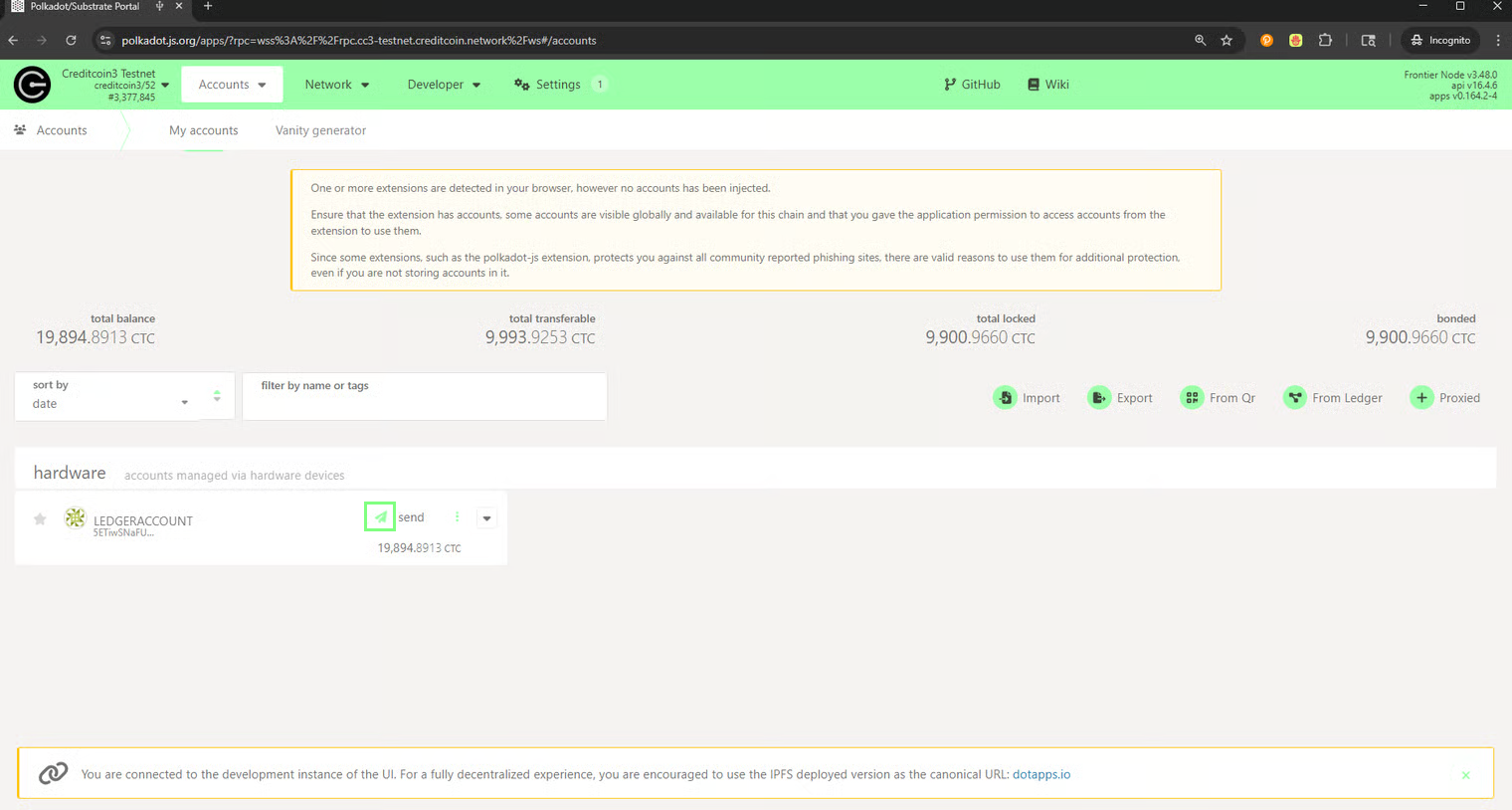
- From: your Ledger account → To: paste/choose recipient.
- Amount: enter value.
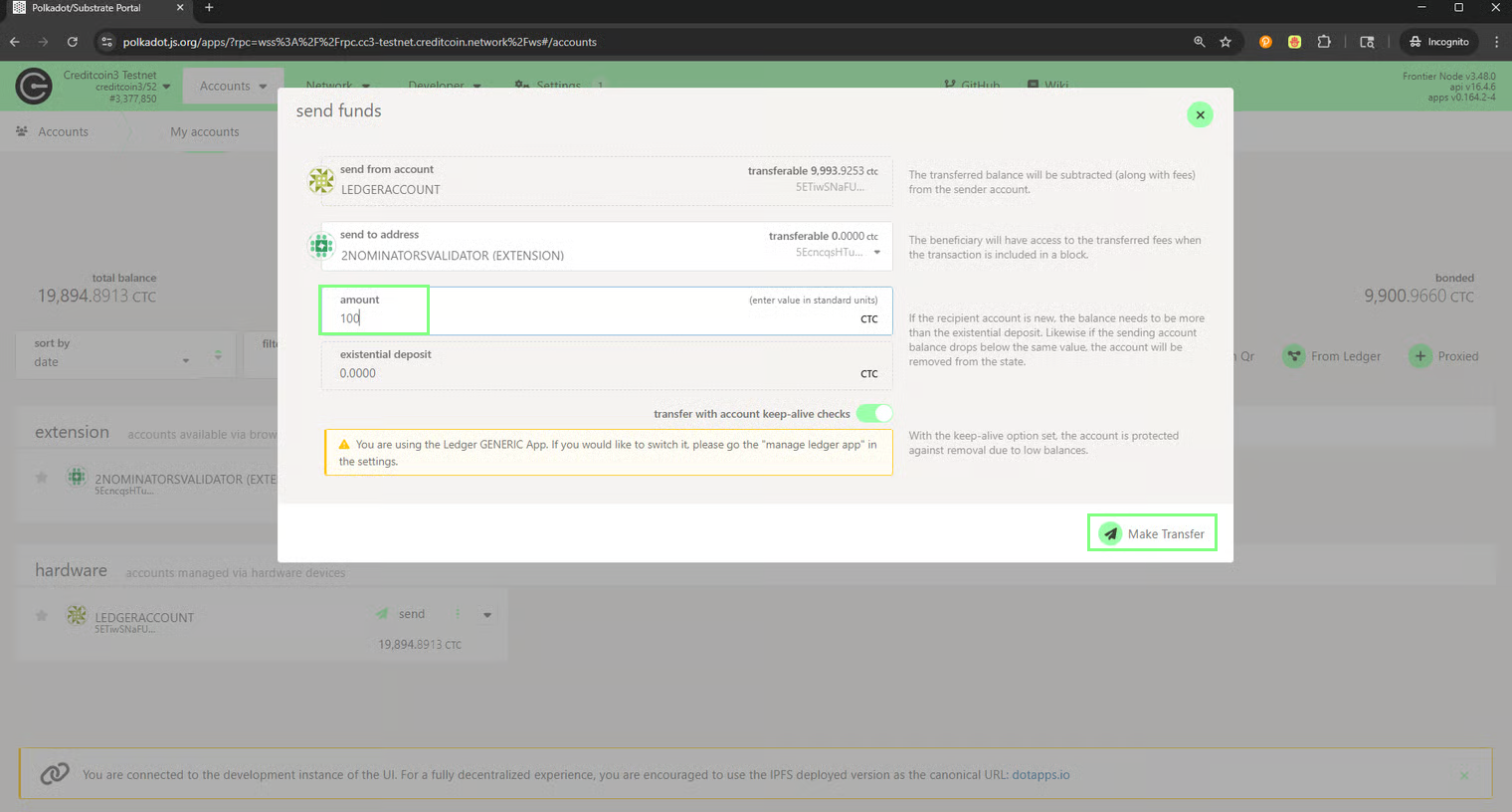
- Click Make Transfer → Sign and Submit → review on the Ledger → Approve.
- Track status in the UI or your block explorer.
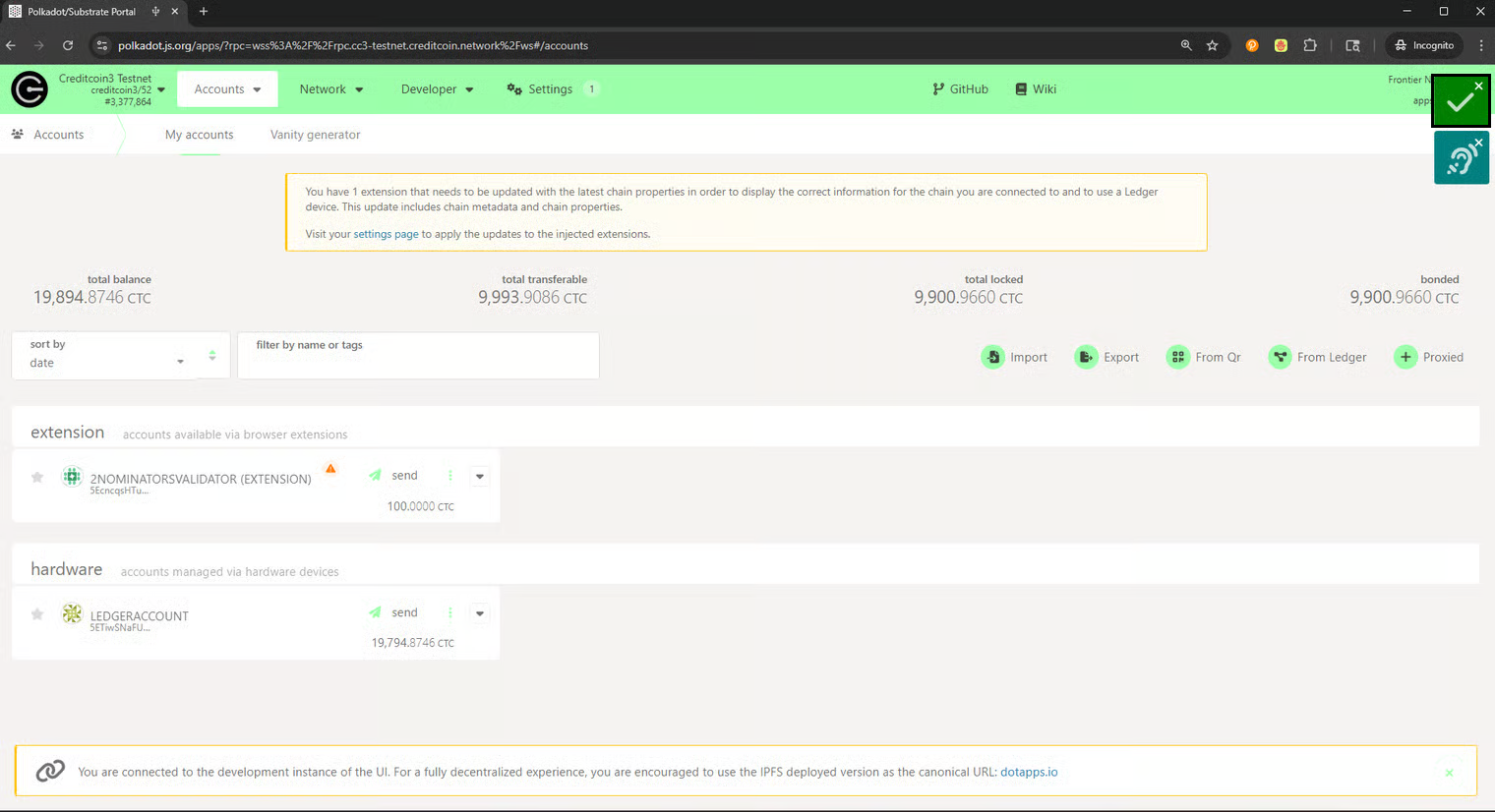
The transfer has now been successfully completed.