Creating Dapps with ethers.js
We will now create a front-end web application for the Counter contract we deployed in the previous sections using ethers, a JavaScript library for interacting with the EVM.
Setting up an Ethers project
Section titled “Setting up an Ethers project ”Our web application will have a single HTML file, however it needs to be served via an HTTP server to avoid Cross-Origin Resource Sharing restrictions in modern browsers. Loading the application via the file:// protocol will not work! The easiest way to start is to copy the entire project from https://github.com/gluwa/creditcoin3/tree/dev/docs/smart-contract-development/with-ethers.js and then execute the command:
$ npm installAfter all dependencies have been installed you can serve the HTML application via the command
$ npm run dev
> creditcoin-etherjs-project@0.0.0 dev> vite
Re-optimizing dependencies because lockfile has changed
  VITE v5.2.12  ready in 95 ms
  ➜  Local:   http://localhost:5173/  ➜  Network: use --host to expose  ➜  press h + enter to show help
Connecting to the EVM
Section titled “Connecting to the EVM ”Adding the Contract details to the project
To create a contract instance, ethers requires the contract address and its Application Binary Interface (ABI). You can get both from either Remix or the Hardhat project.
If you are using Remix, the ABI will be avaiblable to copy and paste after compiling the contract. And the address can be copied from the Deployed Contracts section in the Deploy & Run tab.
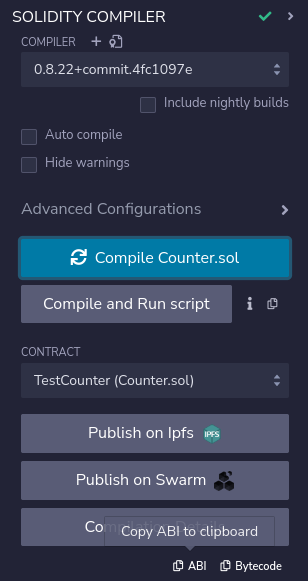
Contract ABI
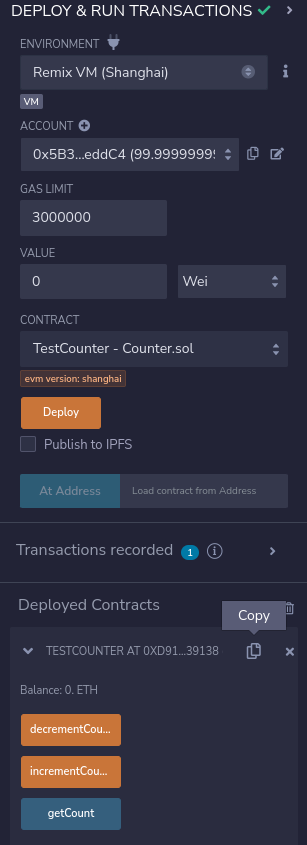
Contract Address
If you are using Hardhat, you can use the address logged by the deploy command and the ABI code that should be stored in the artifacts folder as Counter.json.
Include both the address and the ABI in the script.js file.
Items to be aware of
Section titled “Items to be aware of ”When using the example project as the start of your own application you should be aware of several lines in the example source code and adjust them accordingly. They are annotated below:
// WARNING: this only works if you are compiling the Counter contract with Hardhat// adjust the artifact/ABI json if necessary!import CounterContractArtifact from "../with-hardhat/artifacts/contracts/Counter.sol/Counter.json";

// WARNING: this address depends on which chain the contract was deployed toconst CounterContractAddress = "CHANGE_TO_REAL_DEPLOYMENT_ADDRESS";
... skip ...
    const result = await window.ethereum.request({      method: "wallet_addEthereumChain",
      // WARNING: make sure this is the same blockchain the contract was deployed to      params: [blockchainTarget.creditcoin_testnet]    });