Register Native Address for Creditcoin Airdrops
How to Register Your Creditcoin Native Address for Airdrops on Creditcoin
Section titled “How to Register Your Creditcoin Native Address for Airdrops on Creditcoin”
If you own a Creditcoin Native address and hold CTC in it, you must register an EVM address to be eligible for any airdrops on Creditcoin. Here’s a step-by-step guide on how to do it:
- Install the Polkadot{.js} Extension
- Connect your account
- Go to https://polkadot.js.org/apps/?rpc=wss://mainnet3.creditcoin.network#/extrinsics
- Select your Creditcoin Native address that holds your tokens
- Set up the transaction
- In the “submit the following extrinsic” section:
- Left dropdown: Select
identity - Right dropdown: Select
setIdentity(info)
- Left dropdown: Select
- In the “submit the following extrinsic” section:
- Enter your EVM address
- In the
legal: Datafield:- Click
None→ Change it toRaw - Enter your EVM address in the
Raw: Bytesinput field. This should be the 0x format EVM address where you want to receive the airdrop. Example:0x1234567890123456789012345678901234567890
- Click
- In the
- Submit the transaction
- Sign and submit the transaction.
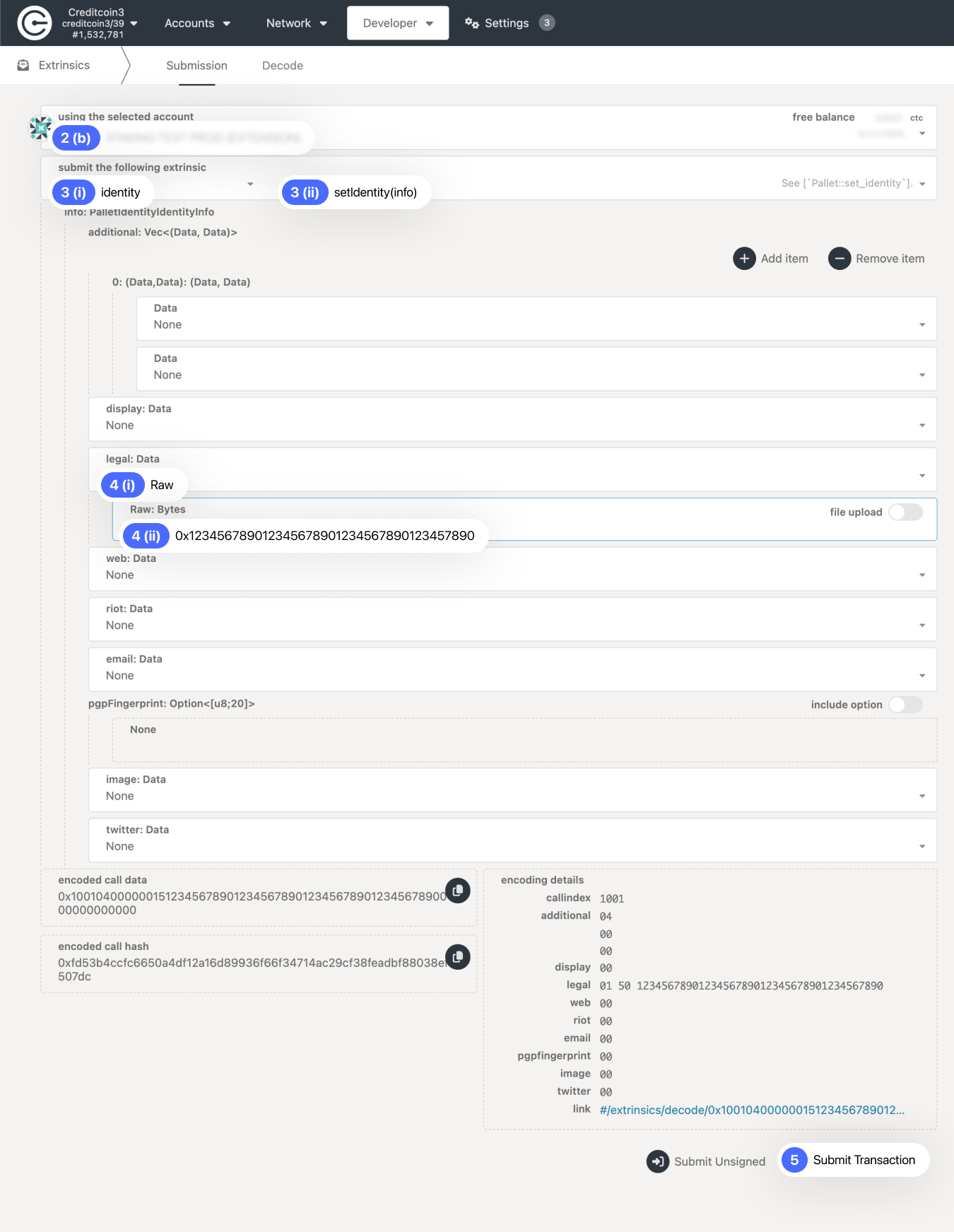
Register Creditcoin Native Address
How To Verify the Registration
Section titled “How To Verify the Registration”- Go to Creditcoin Native explorer
- Search for your Creditcoin Native address
- Check the “Legal name” field
- If your EVM address appears correctly, you’re registered.
- Now sit tight, and keep your eyes on @creditcoin for exciting updates about upcoming airdrops.
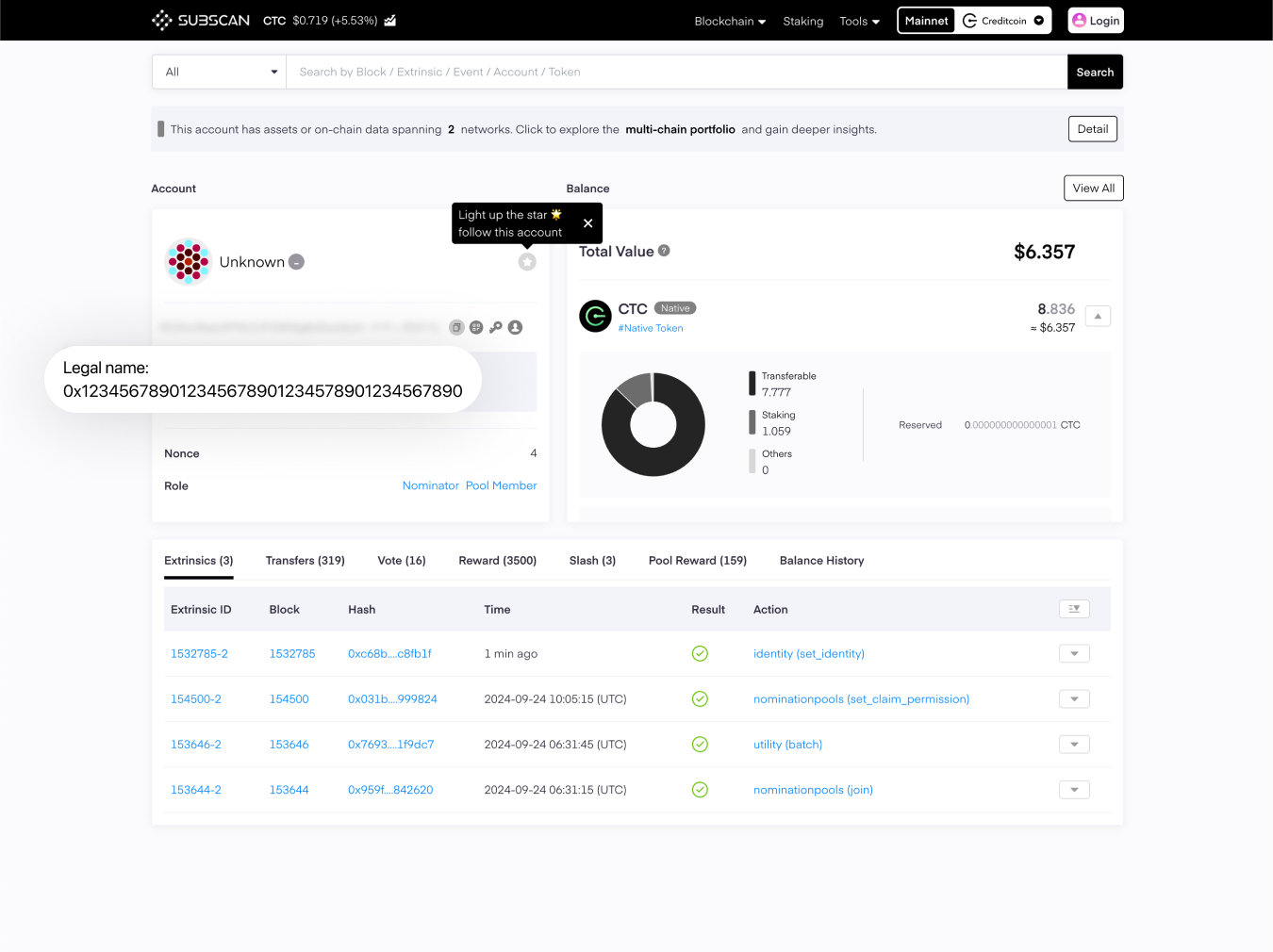
Verify Registration
Important Details to Remember
Section titled “Important Details to Remember”- If the registered EVM address does not match the address you use to claim, you will not receive the airdrop.
- You must complete the registration before the snapshot.
- Any changes made after the snapshot will not be accepted.
- If you register the same EVM address to multiple Creditcoin Native addresses, the airdrop amounts will be aggregated and shown as a total.